

Best Minecraft Bedrock Hosting (2026)
If you want a smooth Minecraft Bedrock Edition server with no lag, fast chunk loading, and 24/7 uptime – your hosting choice matters more than anything else.
This guide compares the best Minecraft Bedrock hosting providers in 2026, based on:
- Performance (CPU + RAM quality)
- Uptime & reliability
- Bedrock compatibility
- DDoS protection
- Ease of setup
- Price vs value (US/UK focus)
This page is optimized for buyers in the United States, UK, Canada, Germany, and Western Europe, for performance and reliability.
Quick Comparison: Best Bedrock Hosting (2026)
| Host | Best For | Starting Price |
|---|---|---|
| Apex Hosting | Best Overall | ~$4.49/mo |
| Shockbyte | Budget Option | ~$2.50/mo |
| BisectHosting | Performance | ~$5.99/mo |
| GGServers | Simple Setup | ~$3.00/mo |
| Sparked Host | Best Value Hardware | ~$2.20/mo |
| Hostinger Game Panel | Cleanest Interface | ~$5.99/mo |
1. Apex Hosting – Best Overall for Bedrock
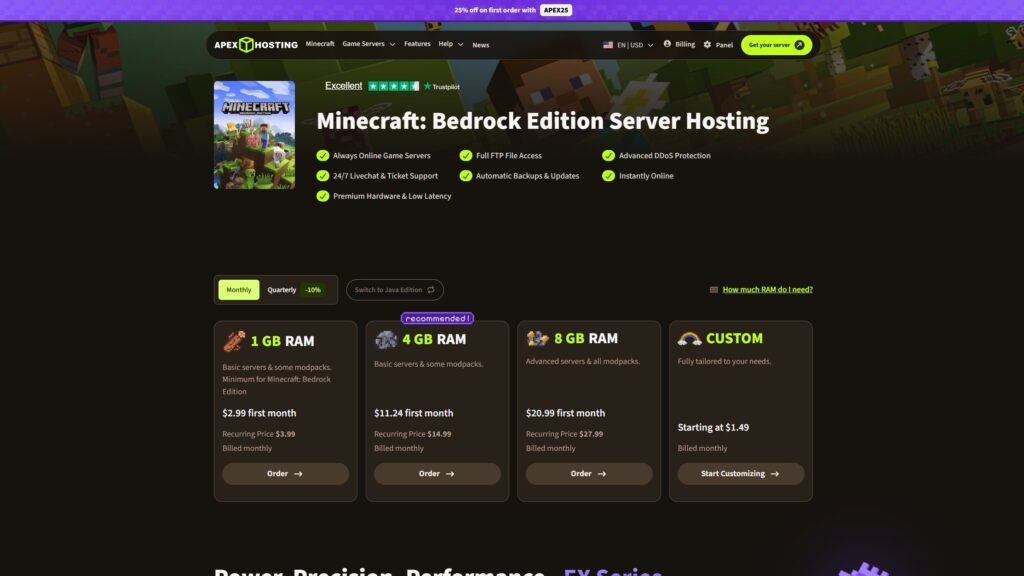
Best for: Players who want reliable performance without technical headaches.
Why It’s Good
- 24/7 uptime
- High-frequency CPUs (important for chunk generation)
- One-click Bedrock setup
- US + UK + EU locations
- Strong DDoS protection
For US players especially, Apex tends to deliver low ping and stable TPS even with multiple players exploring.
Downsides
- Not the cheapest
- Upsells for extra RAM
Best for: Survival servers, friend groups, small public communities.
2. Shockbyte – Cheapest Option That Still Works
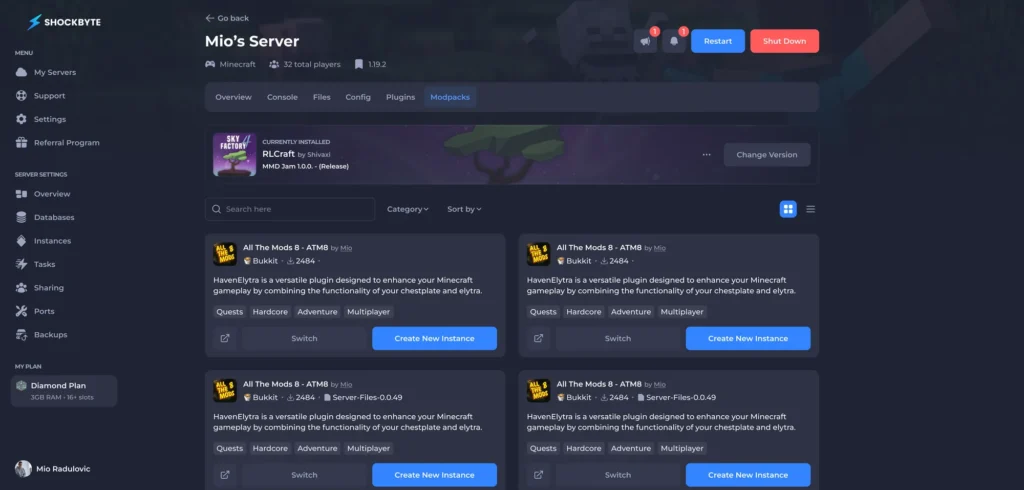
Best for: Budget setups under $5/month.
Why It’s Good
- Very low starting price
- Unlimited player slots (RAM-based limit)
- Decent US coverage
Downsides
- Support can be slow
- Hardware not as strong as premium hosts
If you just need a simple Bedrock server for 2–6 friends, this works.
3. BisectHosting – Best Performance Per Dollar
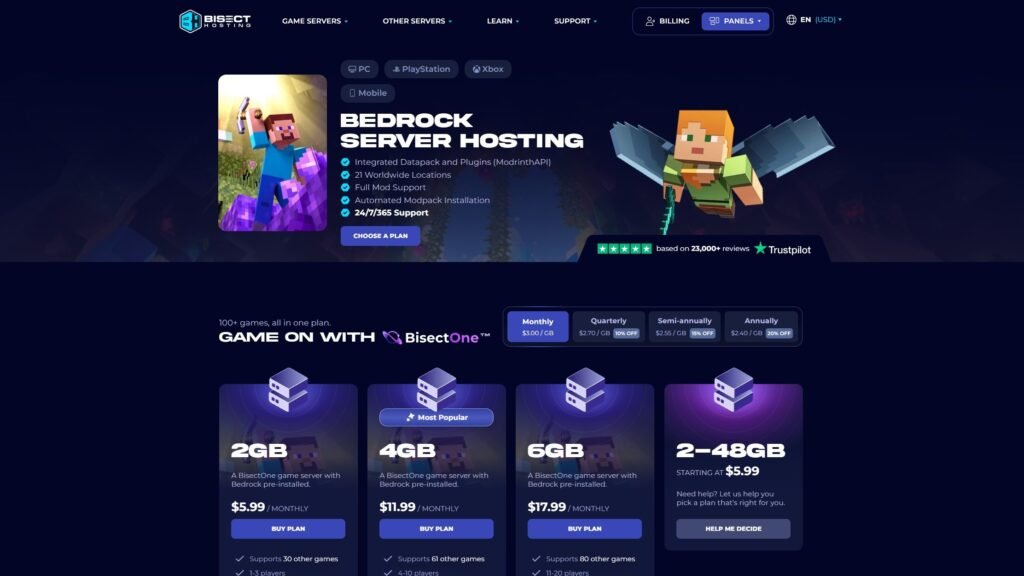
Best for: Medium-sized Bedrock servers (10–30 players).
Why It’s Good
- Premium hardware tiers
- Excellent EU performance
- Instant setup
- Good technical support
Downsides
- Slightly higher starting cost
- Multiple plan tiers can be confusing
Strong option for UK / Germany / Netherlands users wanting low latency.
4. GGServers – Easy Setup & Good Entry Choice
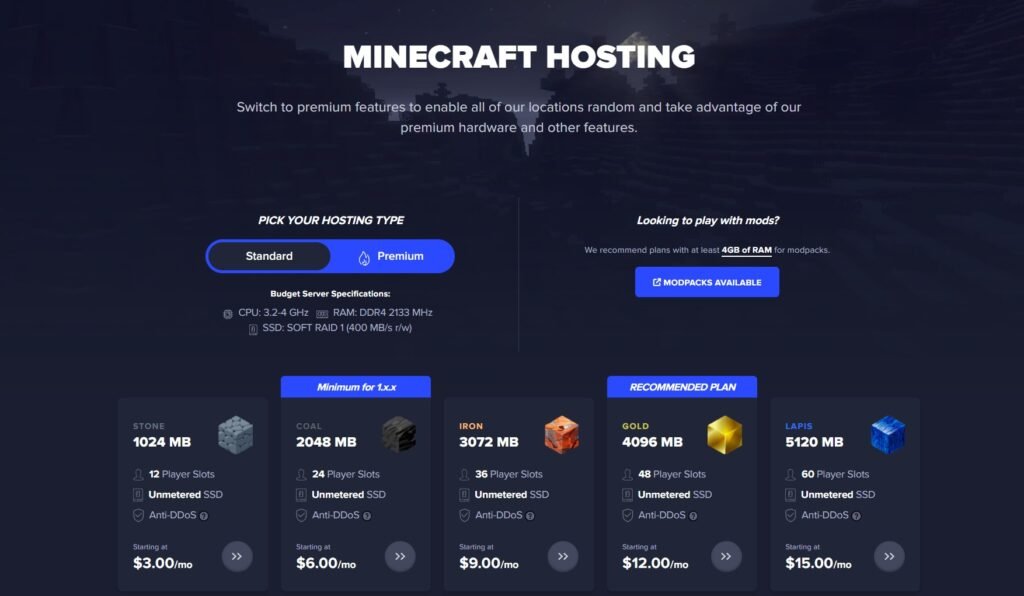
Best for: Beginners who want fast setup.
Why It’s Good
- Simple panel
- Multiple US locations
- Affordable mid-tier plans
Downsides
- Performance can dip under heavy load
- Hardware is average
5. Sparked Host – Best Budget Performance Hardware
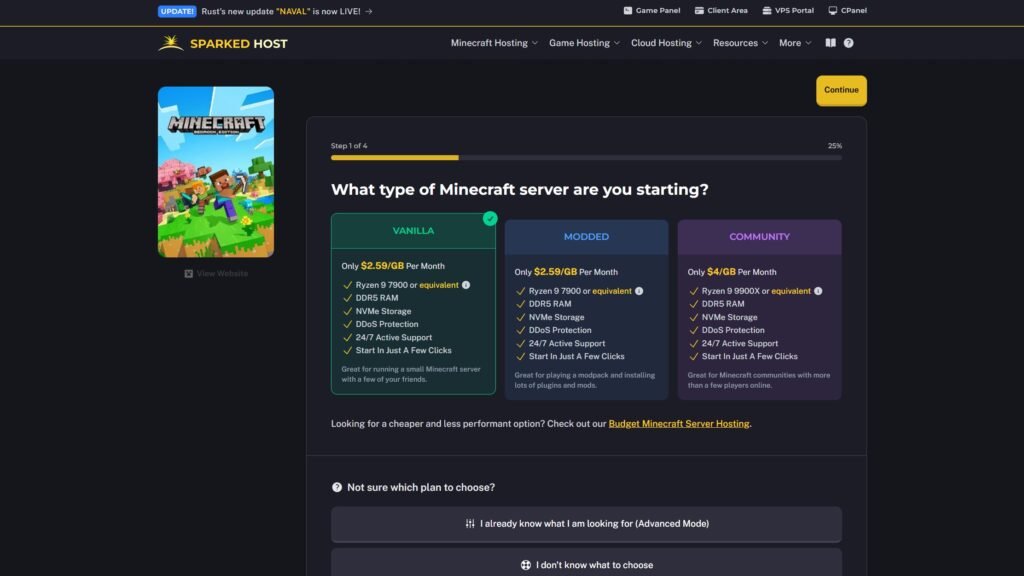
Best for: Players who want premium CPU performance at a lower price.
Why It’s Good
- High-frequency Ryzen CPUs
- Excellent US ping
- Strong value for RAM allocation
- Fast NVMe storage
Sparked Host has quietly become one of the better value options in the US market. For Bedrock servers with exploration-heavy gameplay, the stronger single-core speeds make a noticeable difference.
Downsides
- Smaller company than Apex or Shockbyte
- Fewer global locations
Best for: 4-15 player survival servers in North America.
6. Hostinger Game Panel – Clean Interface & Global Infrastructure
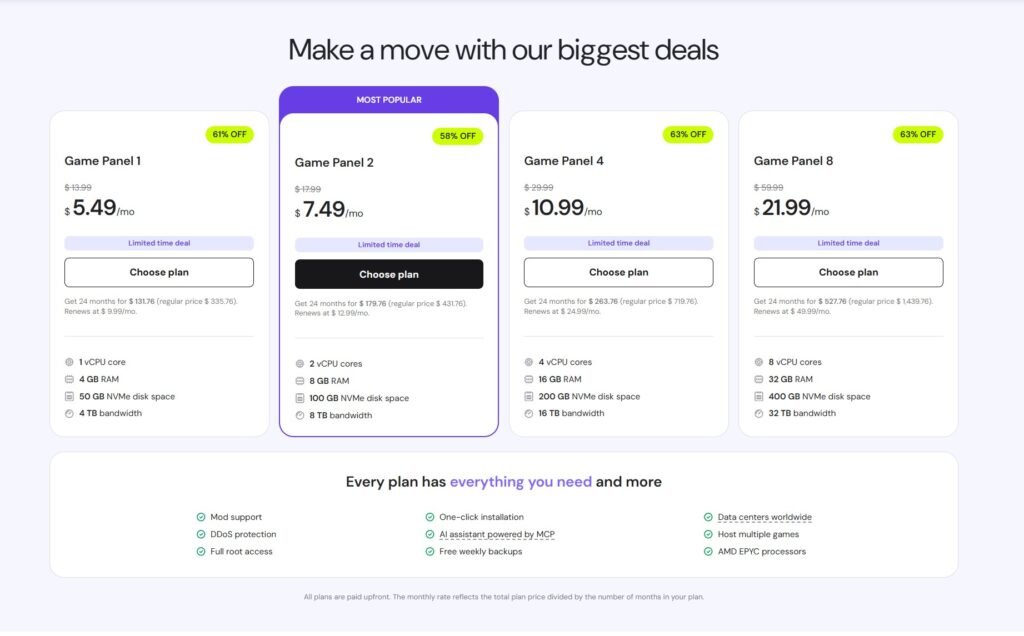
Best for: Users who want a polished, modern dashboard experience.
Why It’s Good
- Clean custom-built control panel
- Strong infrastructure (especially Europe)
- Stable uptime
- Easy scaling
Hostinger is better known for web hosting, but their game panel has improved significantly and performs well for Bedrock servers in the US and Western Europe.
Downsides
- Slightly higher pricing than budget hosts
- Fewer Minecraft-specific tutorials
Best for: UK, Germany, Netherlands players wanting reliable infrastructure.
What Actually Matters for Bedrock Hosting
If you’re serious about performance, focus on:
1. CPU Speed (Most Important)
Bedrock is single-thread heavy. High clock speeds > high core counts.
2. RAM Allocation
- 2GB → 2-5 players
- 4GB → 5-12 players
- 6GB+ → Addons, large worlds
3. Server Location
Choose:
- US East/West (United States)
- London (UK)
- Frankfurt (Germany)
- Amsterdam (Netherlands)
Lower ping = smoother gameplay.
4. DDoS Protection
Especially important if you plan to:
- Share IP publicly
- Run a semi-public server
- Allow cross-platform players
Best Bedrock Hosting by Use Case
- Best Overall: Apex Hosting
- Cheapest Option: Shockbyte
- Best Performance: BisectHosting
- Easiest for Beginners: GGServers
- Best Value Hardware: Sparked Host
- Best EU Infrastructure: Hostinger Game Panel
Is Free Minecraft Bedrock Hosting Worth It?
Short answer: No.
Free hosting usually means:
- Shared overloaded CPUs
- Frequent crashes
- Limited uptime
- Data loss risk
If you’re in the US or UK, a $4-$6/month plan performs dramatically better.
How to Start a Bedrock Server (Quick Steps)
- Choose a host
- Select a Bedrock plan
- Pick a location closest to your players
- Upload your world (optional)
- Share the IP + port
Most major hosts support one-click Bedrock deployment.
Final Recommendation (2026)
If you want:
- Best balance of performance + ease → Apex Hosting
- Cheapest functional server → Shockbyte
- Best hardware for growing servers → BisectHosting
For most US/UK players, spending slightly more for stable hardware is worth it long term.
Frequently Asked Questions (FAQ)
Minecraft has two main versions:
– Java Edition – Primarily for PC players, supports heavy modding.
– Bedrock Edition – Cross-platform (PC, Xbox, PlayStation, Switch, mobile).
Bedrock hosting is optimized for cross-play and uses different server software than Java. You must choose a host that specifically supports Bedrock Edition.
It depends on player count and world size:
2GB → 2-5 players (vanilla survival)
4GB → 5-12 players
6GB+ → Larger worlds, addons, active exploration
Bedrock is generally lighter than Java, but more RAM helps with stability and chunk loading.
Yes, most addons can be enabled in Realms. Just make sure you’re the Realm owner or have permission to add packs.
Yes – more than core count.
Bedrock is largely single-thread dependent, meaning higher clock speed CPUs provide smoother chunk generation and better TPS under load.
If performance is your priority, choose hosts offering high-frequency processors.
Pick the data center closest to most players:
US East / US West → United States
London → United Kingdom
Frankfurt → Germany
Amsterdam → Netherlands
Lower ping = smoother gameplay and fewer lag spikes.
Usually no.
Free hosts often have:
– Overloaded shared CPUs
– Frequent crashes
– Limited uptime
– World data loss risk
For US/UK players especially, a $4-$6/month paid host performs significantly better.
It depends on:
– RAM allocation
– CPU speed
– World size
– Addons/behavior packs
Rough estimates:
2GB → 2-5 players
4GB → 5-12 players
6-8GB → 15-30 players (with good CPU)
For 20+ active players, consider performance-focused hosting.
Yes – Bedrock servers allow players from:
– Windows 10/11
– Xbox
– PlayStation
– Nintendo Switch
– Mobile Devices (iOS & Android)
As long as everyone is using Bedrock Edition, cross-play works automatically.
If your server is:
– Public
– Shared online
– Open to strangers
Then yes, DDoS protection is important.
Most major hosts include basic protection, but performance-focused providers often offer stronger mitigation.
Yes. Most hosting providers allow:
– RAM upgrades
– Plan scaling
– Location transfers
Upgrading is typically instant or requires only a quick restart.
If you want the simplest setup with minimal technical steps:
Apex Hosting – Best overall balance of ease + performance
GGServers – Simple control panel
Both offer one-click Bedrock installation and beginner-friendly dashboards.
Other Recommendations

Questions? Contact Us
Join our Discord to chat, request help, get update notifications, or leave suggestions.
Subscribe to content updates and new releases. We rarely send emails, so we won’t spam you!